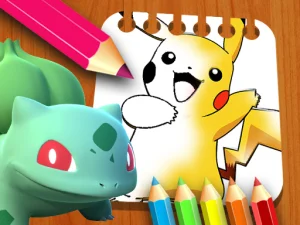
Pokemon Games brings together browser activities that use familiar creature designs and cards, alongside some other games about collecting or meeting creatures. Read the individual card to see what it offers. A memory grid and a coloring page both feature characters to recognize, but only one asks you to remember where you saw them. A creature adventure puts the attention on exploring an area and adding to a collection.
Last Updated:
Remember an image and the square it belongs to
Pokemon Memory Time presents cards to turn over and match in pairs. Open two and pay attention to more than the characters on them. Tie each image to a location. You might remember a yellow figure as the card just under the top corner, or a blue one as the square on the far right of the row. Choose descriptions you can recall quickly when the cards turn back down.
When you reveal a card you recognize, pause long enough to recall where you found the other one. Rechecking every square spreads your attention across cards you already saw. A small plan can help, such as turning over the early cards row by row and making a match as soon as you have both parts. For a quick visit, see whether you can finish a grid using a pattern you can remember afterward.
Use the character outline to guide your coloring
Pokemon Coloring Books gives you drawings to color. Choose an image with part of the character you want to emphasize. Decide whether your palette will follow the familiar design or give it a new look. Fill one larger section and look at how that color reads beside the outline before adding details. Once it looks right to you, choose a smaller area where another color can bring out the expression or shape.
If a picture has several visible areas, work on them in an order that gives you a useful preview along the way. You might want to color the main figure first and decide what belongs around it after seeing the whole character. You can also try a small color motif and use it in a few places to pull separate parts together. Finish one image in a short session or come back to compare two pictures using different palettes.
Explore a separate creature collection in Findamon
Findamon gives you a creature-hunting adventure with its own setting. Look at where the game asks you to explore and which creatures are available in the opening area. Choose a route you can follow back to a recognizable place. If you are offered a chance to capture or add a creature, watch how the game marks the result and where it appears in your collection.
Give the first outing a small goal. You may decide to meet one creature in a new area or check what options a captured creature gives you afterward. A short route helps you learn the controls and the way the world marks things you can interact with. Check the game name and player when opening a result. This catalog can group browser adaptations, fan-themed activities and separate creature adventures on the same tag page.
Choose the part of the theme you want to play
Start with the card grid if you like remembering an image and its location. Open a coloring page when you want to use recognition as a starting point for your own design. Try Findamon if you want to spend time moving through a world and see what you can collect. Start with one clear task and use the game's feedback to decide when it is done. A browser game with a familiar character theme can still have its own rules, controls and objective, so give the opening screen a moment to explain which ones you have.