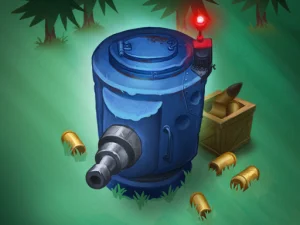
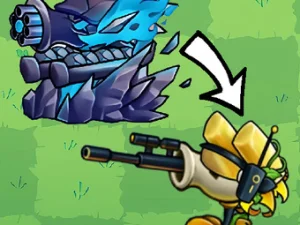
What the pvz fusion browser Tag Covers
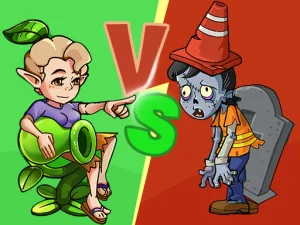
This collection usually includes dozens of browser-based tower-defense picks where the core loop involves placing plants, managing sunlight or resource flow, and watching fused plant types handle waves of advancing enemies. Titles in the tag vary in pacing, from short wave-based rounds to longer survival runs, and most load through a standard web page with no separate installation step. Many players browse the tag to compare different fusion mechanics, lane layouts, and enemy behaviors across multiple browser titles. The section works well for quick sessions on both desktop and mobile browsers when the layout supports touch or keyboard input.
Picking a Fusion Browser Title That Fits
Choose a title based on how much time is available, the preferred pace, and whether the session is on a phone or desktop browser. Shorter picks suit quick breaks, while longer survival-style rounds reward patience and repeated lane planning. Players who prefer resource management can look for titles with steady sunlight flow, while those who want faster feedback may prefer rapid wave pacing. Checking how a title loads and whether its controls suit the device helps avoid mismatched sessions.
Access, Controls, and Device Fit
Most titles in this tag are no-download browser games that open directly in a modern browser, so players can start a session without installing software. Touch-friendly layouts are common on mobile browsers, and keyboard-friendly inputs appear in many desktop-oriented picks, though support varies by title. Loading times are generally short, and many titles run on standard HTML5-based web pages without plugins. The tag groups mixed play styles, from lane-based defense to wave survival, so pacing and control schemes differ across the collection.
Practical Advice for Browsing the Section
Start with a short round to check pacing, load speed, and control feel before committing to a longer run. Compare a few titles in the tag to see which fusion mechanics and lane layouts suit the preferred play style. Maintain a sense of which resource patterns feel manageable, since sunlight or energy flow shapes most lane decisions. Revisit titles after trying different approaches, since fusion combinations often change how each run feels.
Why Players Return to Fusion Browser Picks
Players choose this tag for quick, no-install access to tower-defense experiments where fusion combinations change how each run plays out. The replay value comes from trying different plant pairings, lane arrangements, and wave timing across multiple browser titles. Sessions can be as short as a few minutes or extended when a title offers longer survival rounds, making the tag flexible for different browsing habits.
pvz fusion browser FAQs
Q: Do pvz fusion browser titles need downloads or installs? A: Most titles load directly in a modern browser without separate installation steps.
Q: Can pvz fusion browser picks work on mobile devices? A: Many titles support mobile browsers when the layout includes touch-friendly controls.
Q: What kinds of play styles appear in the pvz fusion browser tag? A: Lane-based defense, wave survival, and resource-management rounds are common across the collection.
Q: Do pvz fusion browser titles support keyboard and touch input? A: Support varies by title, with many offering either keyboard-friendly or touch-friendly layouts.