Relaxation Games is a mixed grid of activities you can try at an unhurried pace. A lawn-care scene gives you a visible surface to work through. A clicker gives you a repeated interaction with occasional changes. A small puzzle can keep you occupied without asking you to react continuously. Decide what kind of motion or feedback sounds pleasant today, then choose the page whose opening gives you some of it immediately.
Last Updated:
Work on a small part of a lawn
Grass Ranch uses lawn care as its main activity. Begin where the difference between the area you worked on and the rest is easy to see. Follow one strip or corner, then look back at what changed. If the game offers a choice of tools or objectives, read what is currently available before taking a long route. A visible edge gives you a place to return to if you switch directions or move to another part of the lawn.
You can make the visit about finishing a particular area. Move steadily enough to see whether you left a small patch unfinished. If you enjoy the repeated motion, work through another clear strip after the first one. If you have only a little time, end after a place you can recognize looks complete. The scene itself can mark progress without requiring you to stay until every available task is finished.
Use one resource to see what a clicker does
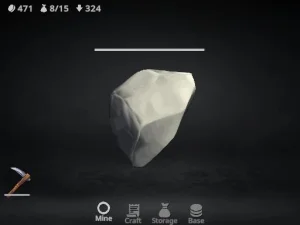
Stonecraft gives you stones to click and resources to collect, with tools to unlock or improve. Choose a stone shown by the game and observe which part of the display changes after an interaction. Notice what the game wants before offering an upgrade. A single resource or tool can give the first session a purpose rather than treating every visible reward as something you have to pursue immediately.
When an upgrade is available, choose one whose effect you can compare with what you just did. Use it on a familiar part of the game and check what changed. It can affect how the next resource appears or which option becomes available. Follow the current display for the exact result. If you want a quiet break, you can stop once the new tool or resource is visible rather than following every later unlock.
Give a playful puzzle time to show its conditions
Tricky Prank: Annoying Quest uses scenes with unexpected solutions. Read what the current scene asks for and look at the objects it gives you. Pick one you can try without trying to predict every possible result. The change it produces can tell you whether to inspect another part of the screen or use the same object in a new place. Taking a moment to look around can be part of the appeal when you have time to think.
CluckNRun adds movement by giving you a vehicle and chickens to bring back. If you want something a little faster, use its opening route to see how a pickup, obstacle or fuel marker fits into the scene. Choose one short objective and learn which part of the route lets you finish it. The grid includes both this kind of moving activity and quieter puzzles, so read the existing instructions before deciding how much attention the first round will need.
Choose a pace and keep one result in view
Pick a surface to finish, a resource to collect or a small scene to understand. You can use the first interaction as a test of pace. If it lets you see the entire result comfortably, continue with the same task for a few minutes. If a faster game looks more appealing, return to the grid and choose one whose movement is the fun part. These browser games give you different ways to spend a break, and a small result is enough for any of them.