Running as preparation for a jump
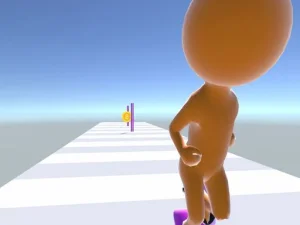
In +1 Wings Keyboard Speed, the giant keyboard is a place to train Speed by stepping on keycaps. That preparation connects to jumping and gliding over water toward trophy pads. It is useful to think of the runway and the flight as two parts of a trip, with an intended landing linking them.
WASD handles movement and the mouse turns the view. Space begins a jump, a further airborne press flaps and holding Space glides. Learn how each use changes the character before attempting a farther trophy pad. If you confuse pressing with holding, a missed landing may be an input-sequence problem rather than a need for another purchase.
Choose a visible destination, then compare its position with the approach you take along the keyboard. More distant pads offer more trophies, but understanding a manageable landing comes first. At the shops, E interacts and B returns to base. Read the available wings and progression options in relation to the movement you are trying to improve.
Running with something to sell
Obby +1 Roll Ice Cream changes the purpose of travelling forward. First, move through an ice cream field and gather fresh tiles into a larger roll. Then take that roll onto the Sweet Road, where buyers chase you through the biomes.
WASD moves and the mouse controls the view. When a buyer catches you, E sells the roll; the game also offers a short-video choice to decline and continue farther. A later capture can be worth more money, so recognise the selling decision before assuming that being caught means the same thing as losing a conventional runner.
Make the early goal a complete, understood loop: gather, find the road, reach a buyer and inspect the result. Later, decide whether the time needed to continue suits the return you want. The game's scoops, flavours, pets and rebirth options provide ways to develop the loop, with their actual costs and effects shown by the current interface.
Running as part of a fight
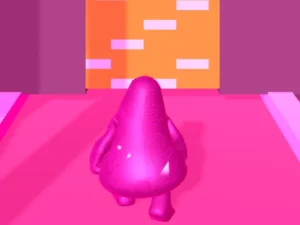
Anti Spider Run adds spider battles, character evolution and territory capture to its running challenge. It uses tap and drag input. Start by relating a deliberate finger or pointer movement to what happens on screen, then use the current activity's instructions to decide the next move.
Keep attention ahead when a route is visible, but also check what the encounter is asking you to do. Movement that would be sensible on an empty course may be unhelpful when a battle or territory objective changes the situation. The common running theme is a reason to compare games, not evidence of identical rules.
If a movement creates trouble, reconsider its size and starting moment separately. A correction made too late differs from a drag that overshoots its intended direction. Changing just the relevant part gives the next attempt a useful comparison.
Read progress in the right form
These examples measure a journey differently. A trophy-pad landing concludes a flight, a buyer introduces a selling choice, and a survival encounter makes its own demand on your movement. Check the actual objective before judging an attempt solely by distance travelled.
For practice, select one transition that needs attention: leaving the keyboard, moving from the ice cream field to the road, or responding deliberately during the spider challenge. Recognising that transition early gives the next input a purpose. Return to the wider collection when you want another form of running, and read the new controls before expecting a familiar key or swipe to produce the same action.