Choose between a wave, a practice setup and a match
First identify what the current mode asks you to do. Surviving a wave means managing threats until that phase ends. A practice range provides a place to learn aim or controls. A competitive match may add other players, teams or a different scoring condition. These are separate tasks, and a useful opening choice is the mode that helps you learn what you need.
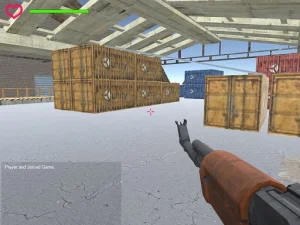
Look at the information around the playable view. Health and ammunition answer different questions: whether the character can withstand another hit and whether the selected weapon is ready for another engagement. A wave indicator, timer or score can add another condition. Read the displays that the selected game actually provides instead of assuming every shooter shares one interface.
Frontline Strike begins with defending an outpost
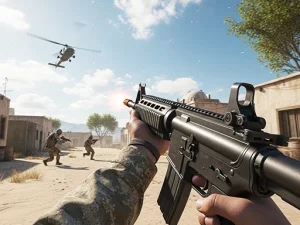
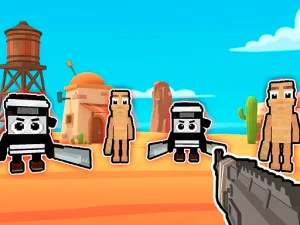
For a specific wave-based shooter on the site, Frontline Strike starts at Desert Outpost with the Recruit rank. Riflemen, heavier troops and distant marksmen make different demands on the player. Watch the open approaches and choose a position that gives you room to react instead of treating every target as equally urgent.
The desktop controls use WASD to move, the mouse to aim and left click to fire. R reloads, G throws a grenade and Shift sprints. The Armory separates damage, magazine capacity and reload-speed upgrades, with the shotgun initially locked. Compare those effects with the situation that ended your last run. A larger magazine and a quicker reload solve different parts of the same ammunition problem.
Oxy Arena offers a separate place to practise
Oxy Arena separates public play, Rooms & Friends, Practice and a solo Backrooms: Zombies option. The Practice interface includes Deathmatch, Team Deathmatch and Target Range choices, map selection and bot difficulty settings. Choose a manageable setup while learning a weapon rather than changing every setting together and losing a clear basis for comparison.
Its computer controls include movement, aiming, firing, reloading, crouching and weapon switching. Adjust uncomfortable mouse sensitivity through the menu before committing to a longer session. Practise moving to cover, checking another approach and reloading before you expose the character again. Those actions belong together, even though each is easier to learn separately at first.
Use position to simplify the aiming problem
Find solid cover and inspect the route out of it before advancing. A position that limits the directions you must watch can give you a clearer decision than standing in the middle of several approaches. Reassess after moving because a useful sightline from the old position may no longer apply. The goal is to understand the space around an engagement, not just follow the last target you saw.
When a shot misses, consider distance, movement and the selected weapon before changing every part of your input. Practising one familiar target or approach makes an adjustment easier to judge. Check the game's own result and objective; getting more hits does not necessarily complete a mission whose requirement is survival, teamwork or reaching a destination.
Check the input layout before choosing a device
A browser page can open on a device that does not offer the controls expected by its embedded shooter. Read the instructions for the loaded version, make sure the playable area has focus and confirm the available input before starting. Return to the BestCrazyGames homepage when you want a different activity or a change of pace between shooting sessions.