Learn the swing in Mysterio Rush
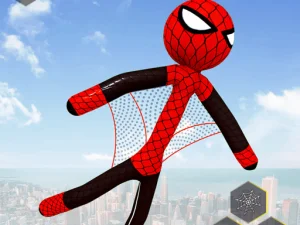
Spider-Man Mysterio Rush teaches a mouse-controlled swing. Keep the input held to swing, then release to let go. The tutorial also identifies P for pausing. Begin by observing that relationship rather than expecting the arrow keys to steer the character through the scene.
A brief click includes both a press and a release, so it gives you less opportunity to inspect a sustained swing. Try a deliberate action and watch the resulting position. On another attempt, adjust the release with a clear destination in mind. That makes the movement something you can compare rather than a sequence of unexplained clicks.
Connect movement with an objective
The opening mission panel separates travelling one hundred and fifty metres in a run, defeating five enemies in a run and passing through a ring. The result screen tracks progress across twenty-five missions. A distance target and an enemy target measure different parts of the attempt, so choose a manageable focus while learning.
Read the current mission's wording before deciding whether progress carries across attempts. The game's mission list includes different conditions. A target within one run should not be treated as a total accumulated automatically. Use the displayed result to check what happened instead of assuming that a longer run completed every objective.
Read the continuation after an interaction
The tutorial describes hitting enemies and taking acrobatic opportunities when the special meter is full. Enemies and rings are also connected to the meter through the upgrade information. Look at the route after the immediate interaction, not only at the target you want to reach. The next swing still needs a position from which it can begin.
Other sequences introduce their own instructions, including rapid clicking for a launch and holding or releasing to change height. Follow the current prompt rather than applying the same input rhythm everywhere. Recognising that an action has changed is part of learning a movement game, even when it continues to use the mouse.
A record banner compares distance with a previous best. Check the mission panel separately before deciding which target has actually been completed.
Choose an improvement you understand
Mysterio Rush offers Speed, Acrobatics, Luck, Drone and Web Shield upgrades. Their descriptions concern different effects: pace, special-meter gain, currency from coins, the chance of a glider drone and protection from hits. Read the selected panel and cost before deciding what would help your next attempt.
More speed does not explain a release you have not yet understood. A shield does not establish unlimited protection. Use the menu to address a particular limitation rather than assuming that the first available purchase must be the best one. Check your balance and the current requirement instead of borrowing a buying order from another release.
Practise a small part of the route
After an unsuccessful attempt, identify where the actual movement first differed from your plan. You may have released too soon to read the swing or pursued an object without considering the continuation. Test one adjustment on the next run. A more dependable opening is useful progress even before another mission is completed.
The Mysterio Rush movement guide develops that approach. Check other collection entries' individual controls before transferring these mechanics. The tag groups related ideas, while the actual hold-and-release behaviour, mission conditions and device information belong to the selected game.