Start with the doughnut's platform course
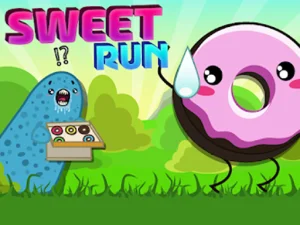
In Sweet Run, a pink doughnut moves through a colourful landscape while you handle the jumps. Platforms, gaps and coloured candy pickups give you several things to read at once. The most useful priority is the next safe landing: a pickup is only helpful when you can collect it without losing track of the route ahead.
The opening tutorial displays a touch prompt and an Up-arrow key diagram under the instruction to press to jump. Follow the input shown for your device and spend the opening stretch learning when the jump begins relative to an approaching edge. Small timing changes are easier to evaluate when you repeat the same section and keep the rest of your approach consistent.
Understand the stage display
Sweet Run's selection screen shows numbered levels, locks and three-star indicators. That layout gives the game a sequence of stages to work through. Begin with an available level and follow the progression the game presents. The screen helps you decide what to attempt next without needing to assume that every stage is open from the start.
During a stage, the progress bar provides a rough sense of how far along the route you are. Keep watching the ground even when the bar is nearly full: the final stretch still needs the same attention to a gap or landing as the opening. If you fail close to the finish, identify the particular jump that caused the problem before starting another attempt.
Choose by viewpoint and task
This collection also displays games such as Scale Kid Run And Jump Up, Blob Dash Endless Runner, Endless Ninja Runner, Ninja Jump And Run and Cube Runner Endless. Those are separate titles with their own interfaces. Their appearance beside Sweet Run is a way to discover another running game, rather than evidence that they share its levels, character or controls.
Use each game's first screen to establish what you actually control. A runner seen from the side makes the distance to an edge easy to inspect, while another camera arrangement can make approaching objects the more important cue. Similarly, a stage-selection menu calls for a different short-term goal from a run organised around continuing as long as possible. Check the loaded game's own objective before planning your practice session.
Make retries useful
After a missed jump, ask what information you overlooked. You may have watched a collectible too long, pressed after reaching the edge, or aimed for a landing without checking the space beyond it. Pick one of those causes and adjust that part of the next attempt. This keeps a retry focused instead of turning every restart into a rush through the same mistake.
For the doughnut game, practise clearing a troublesome stretch before trying to take every candy along it. Once your landing is reliable, consider whether a nearby pickup fits the same line. Looking one platform beyond the current jump can also help you avoid landing somewhere that leaves little time to prepare for the following obstacle.
Switch to another running perspective
For a separate three-dimensional option on BestCrazyGames, Subway Surfer Runner loads Tom & Jerry Run, with Jerry running away from Tom and collecting cheese. Its forward-looking route offers a different visual task from the doughnut's side-scrolling platforms. Learn its displayed instructions when you switch, rather than expecting Sweet Run's jump prompt to describe every action there.
Return to the collection when you want to compare another title, and judge each one by the game that actually opens. A few deliberate attempts are usually enough to establish whether you want to practise platform edges, obstacle recognition or simply a different running theme. That makes the selection useful for choosing a focused next session as well as finding the Sweet Run game again.