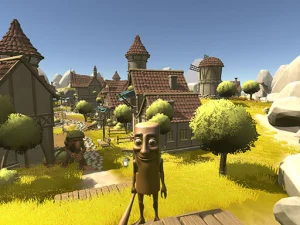
Timing and targeting are different objectives
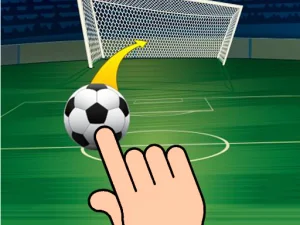
Tap Goal's verified description asks you to time actions to dribble and score through challenges. Its published control instruction is mouse input. That establishes a compact interaction, but not a full football management system. Do not assume team-building menus, competitive leagues or teammate-passing controls unless the current interface actually presents them. Begin with the visible task and learn what one action changes before adding repeated inputs.
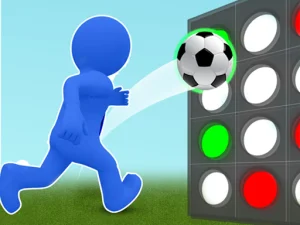
Goal Dot 3D is also among the current cards and provides a useful contrast. Its described objective involves shooting into a grid and forming green-dot arrangements before an opponent finishes the mission. That is a target-and-pattern task. The soccer presentation connects it to the broad theme, but success depends on reading the grid rather than importing Tap Goal's dribbling advice. Choose it when you want to inspect a different use of a football-style shot.
What the current collection contains
Other visible names include Goal Arena 3D, Goal Finger Soccer, Goal Quest, Squad Goals Soccer 3D and Flick n Goal. Each is an individual destination. A name helps identify a candidate, but it does not prove a multiplayer mode, a specific keyboard scheme or a shared progression system. Read the destination's own explanation before comparing its challenge with the game you already know. This small check prevents you from searching for an input that belongs to another title.
The recommendations are a browsing selection, not the fixtures of a tournament. Opening another card does not necessarily continue your previous session. If you are trying to return to a particular challenge, remember the full game title and use its direct page. If you simply want another goal-themed activity, let the next game's tutorial establish what counts as a successful attempt. Both approaches are useful when the purpose of the page is clear.
Observe the opening before committing
For Tap Goal, look at the relationship between the ball and the next relevant space. The useful moment may become readable before the ball is immediately beside a challenge. This does not mean staring far away from the action. Briefly inspect the next situation, then bring attention back to the current input. You are learning which visible event gives the action a purpose, rather than searching for a tapping rhythm that must work everywhere.
When an attempt fails, distinguish acting too early, acting after an opening has passed and misunderstanding the objective. Also check whether the input reached the game. These are different explanations, and they suggest different next steps. Choose a single question for the following attempt. Repeated clicking without an explanation can make it difficult to identify which action mattered, even in a game with a very simple control description.
Use the guide for a focused session
The Tap Goal timing guide develops ways to read openings, preserve a successful approach and study the final scoring opportunity separately. You can use it for a short practice session rather than trying to master every challenge at once. A concrete lesson about one interaction gives the next visit a starting point and makes progress easier to recognize.
If you switch from Tap Goal to a grid-based or another goal-themed title, deliberately reset your expectations. Keep the general habit of reading the objective, but learn the new controls and feedback. Allow the selected game to load fully before judging responsiveness. On a different device, follow its displayed prompt rather than assuming the same gesture is available. Network access also depends on local rules; a search label never guarantees permission or availability. Choose an allowed connection and concentrate on the challenge the destination actually offers.