Choose the activity before choosing the pace
An event-themed collection name can suggest a shared competition, but the games shown here are individual destinations. There is no common event schedule, entry process or prize system established by this page. Look at the selected game's opening screen for the session options that actually apply. A title containing “online” also does not tell you whether its current activity involves live opponents, a solo task or an open-ended environment.
Two examples make that distinction practical. Armed Forces.io revolves around combat and controlling your position during an encounter. Minecraft Unblocked Online provides a block sandbox where moving, placing and removing materials form the activity. Both appear in this collection, but they ask you to pay attention to quite different things. Choose the first when you want to react to threats; choose the second when you want to make and revise a structure.
Armed Forces.io: learn the actions you need first
In Armed Forces.io, the keyboard and mouse divide movement from aiming. WASD or the arrow keys move, left mouse click fires, and right mouse click aims. Running, sliding, weapon changes and equipment inputs add more actions, but learning all of them at once can make an early encounter difficult to understand. Begin by noticing where your movement leaves you and whether your view is pointing where you intended.
The game documents Space for sliding while moving and Left Shift for running. Weapon slots use 1, 2 and 3. Interacting or collecting a weapon can use E or F when the opportunity is available. These actions are useful because of the situation in front of you, rather than because pressing more buttons is automatically better. Check the visible equipment before attempting an equipment-dependent action, and leave yourself an understandable route away from an exposed position.
Minecraft Unblocked Online: give yourself a small project
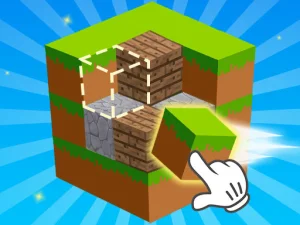
Minecraft Unblocked Online changes the focus to a cubic environment and building blocks. The verified version shows WASD for movement and Space for jumping. Its guide labels E as Remove, F as Put and Q as See. Read those labels in the loaded game before importing habits from another block-building title. Recognizing the scenery is not enough to establish which action each key performs here.
A short wall, a corner or a simple outline gives a first project a clear boundary. Place a few blocks, move to another side and inspect how they join. Removing an awkward piece is part of revising the design. Leave room around the construction so that checking its shape remains easy. Once the outline is readable, compare materials or add height without changing every part of the idea simultaneously.
Make a session easy to pick up again
Before opening a card, decide what a useful first attempt would show you. In a shooter, that might be learning movement and aiming around one piece of cover. In a sandbox, it might be completing an outline that you can walk around. A small purpose helps you judge what to try next without assuming that every game needs a long session or a particular score target.
If the first choice feels too busy, return to the collection and pick a different activity rather than borrowing controls from the previous game. Sound, graphics and input requirements vary between entries. Read the instructions on the destination page and the loaded game's own prompts, then begin with a manageable action. The collection is useful as a set of choices; the game you open supplies the actual objective.