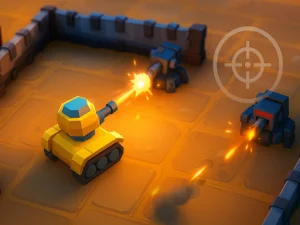
The "touch" category groups browser titles designed for direct interaction on screens that support tapping, swiping, and dragging. Players browse this section to find titles where control schemes are built around finger-based inputs rather than traditional peripherals. Choosing this tag helps filter for instant play experiences that load quickly and require no downloads, making mobile browser games highly accessible.
Last Updated:
Browsing Titles Built for Finger Control
This collection functions as a broad format tag, filtering a mixed genre of browser titles optimized for touch-friendly layouts. Players can expect sessions that start instantly without installation, allowing for quick access on both phones and tablets. The section often includes puzzle, arcade, and casual picks that rely on tap-based mechanics, offering short bursts of play or longer strategic sessions depending on the specific title. Many modern browser titles in this group load rapidly, ensuring the focus remains on interaction rather than waiting.
Selecting Based on Screen and Session Length
When browsing this tag, consider the available screen size and the length of the play session. Many titles feature simplified interfaces that work well on smaller mobile screens, while others offer larger layouts better suited for tablets. Players looking for quick breaks might prefer arcade-style picks, whereas those with more time can explore deeper strategy or puzzle options. Checking for responsive design helps ensure the chosen title fits the device comfortably.
Input Methods and Browser Compatibility
Titles in this category typically replace keyboard commands with on-screen buttons, swipes, or direct tapping on game elements. This format usually runs in modern browsers like Chrome or Safari without requiring plugins, supporting both iOS and Android operating systems. Loading speeds are generally fast, allowing players to jump into action immediately after selecting a title. The absence of downloads means storage space remains free, and updates happen automatically on the server side.
Maximizing the Touch Experience
To get the best experience, ensure the device screen is clean and responsive before starting. Maintain a comfortable grip to avoid accidental inputs during fast-paced arcade moments. If a title offers settings, check for adjustable sensitivity or interface scaling to match the specific device. Using headphones can also improve immersion without needing external speakers.
Why Players Choose Touch-Optimized Play
Players often choose this tag for the convenience of gaming on the go, utilizing idle moments during travel or breaks. The replay value comes from the ease of restarting and the portability of the device, allowing for consistent access across different locations. This section is ideal for those who prefer direct interaction and immediate feedback over complex control schemes. It offers a practical way to access a wide variety of browser titles without commitment.
touch FAQs
Q: Do touch-compatible browser titles require specific hardware? A: Most modern smartphones and tablets with standard browsers support these titles. Q: Can I play these titles on a desktop computer? A: Many titles work on desktops if the browser supports touch events or mouse emulation. Q: Are there long-session titles in this category? A: Yes, strategy and puzzle types often support extended play sessions. Q: Is an internet connection required for all touch titles? A: Most browser-based titles require a connection to load and save progress.