Start with the activity, not the search phrase
Look at what you want to do during the session. Building a structure, defending a position and steering through an obstacle course are different activities even when their pages share an unblocked label. Read the opening objective before playing. Read that version's objective and control prompts before moving, so that your first attempt tests an action the loaded game actually supports.
Think about your device as well. Some browser games expect a mouse and keyboard, while others provide touch controls. The website and the embedded game can have different requirements: being able to read a page on a phone does not prove that its playable version has a suitable touch layout. Check the actual instructions before settling into a longer attempt.
Zombie defense is about preparation as well as action
They Are Coming Unblocked embeds NeoX's side-scrolling zombie survival game. Its Defense mode concerns protecting an orphanage, with equipment purchases and defensive construction contributing to the task. Use the preparation phase to understand the approach you are protecting, then watch how that arrangement performs when the next attack begins.
The separate Sandbox option gives you another setting for experimentation with defensive arrangements and available unlocked items. Choose one question to test, such as whether moving a barrier changes an exposed approach. Changing every object together makes the result harder to interpret. Learn the movement, interaction and combat prompts in this version instead of copying a key layout from a different zombie title.
A block sandbox calls for a different first goal
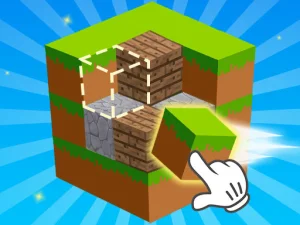
Minecraft Unblocked Online offers a block sandbox with movement and building instructions in the embedded game. WASD moves the character, Space jumps, and the visible guide labels E as Remove and F as Put. Begin with a small structure so you can see what each action changes before planning a larger build.
Selection and placement are separate decisions. Choose a material, find the position where you want to use it and inspect the result of one placement. If the block appears somewhere unexpected, adjust the view and target before adding more. The familiar block-world theme does not establish that this browser version includes every feature of another Minecraft release.
Use the first attempt to check the rules
Give a new game a limited opening goal. Learn one action, identify the object or destination that matters, and find out what ends the attempt. Read the feedback before restarting. This prevents several hurried inputs from hiding the difference between a missed control and an incorrect understanding of the objective.
Check the game's own pause, restart and saving information. Some sessions are built around short rounds, while others store progress in the browser or use a different system. Do not assume that switching tabs, clearing stored data or moving to another device will preserve the same state. Rely on the options and information shown by the current entry.
Browse with realistic expectations
A working page, a fully loaded game and a usable control scheme are three things to check separately. Let the playable version finish loading and make sure it has input focus before judging the controls. Use the BestCrazyGames homepage for a broader selection when you want a different kind of challenge, and compare games by what you can actually do in them.