What the Unblocked Simulation Tag Usually Groups
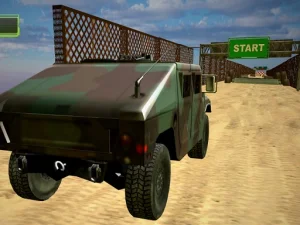
This collection spans many simulation types, from vehicle driving and parking to restaurant cooking, farm growing, house decorating, and city planning. Titles typically open directly in a browser, so players can start a session without installing anything or creating an account. Most picks run on a short-to-medium loop where tasks are completed, resources are managed, or a space is shaped over time. Because the tag covers mixed genres, players can move between driving sims, management titles, and casual construction picks in one browsing session.
Picking Simulation Titles That Match Your Session
Choose based on available time, preferred pace, and the kind of simulated task that appeals most. Driving and parking sims suit players who want quick, focused runs, while farming and city-building titles reward longer, more deliberate sessions. Players on a phone should look for touch-friendly layouts, and those on a laptop can explore keyboard-driven management picks. Browsing by theme, such as vehicles, food, homes, or animals, helps narrow the section faster than scrolling through every available browser title.
How Browser Access Shapes These Simulation Picks
Most unblocked simulation titles are built as HTML5 games that run in modern browsers without separate installs. Many support both desktop and mobile play, though control schemes vary depending on the specific title and its layout. Quick loading is common for browser-based simulation games, so players can test several picks in one sitting. Touch-friendly layouts appear in many driving, cooking, and decorating titles, while management sims often favor keyboard input on larger screens. Because this access tag groups mixed genres, no single mechanic defines the whole section.
Getting More Out of Each Simulation Session
Start with shorter driving or cooking picks to learn how each title handles pacing before committing to longer management sessions. Check whether a layout suits your device before settling in, since touch and keyboard setups change how tasks feel. Maintain attention on the core simulated loop, whether that means parking accuracy, recipe timing, or resource balance. When a title loads quickly and controls feel clear, it is worth revisiting for another run.
Why Players Return to Simulation Browsing
Players choose this tag when they want to run a system, shape a space, or complete simulated tasks without a long setup. Replay value comes from the variety of mechanics, from driving precision to farm planning, and from the ability to revisit titles directly in a browser. Because the collection loads fast and works across devices, it fits both quick breaks and longer management sessions.
unblocked simulation games FAQs
Q: Do unblocked simulation games need downloads or installs? A: Most titles run directly in a modern browser without separate installs.
Q: Are driving and parking sims part of the simulation tag? A: Yes, vehicle-focused driving and parking titles commonly appear in this collection.
Q: Can management and farming sims work on mobile? A: Many support mobile play when the layout and controls fit the device.
Q: Do these simulation titles load quickly in a browser? A: Most browser-based picks load fast enough for short testing sessions.