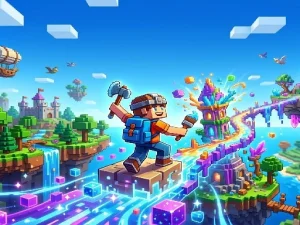
Voxel games use block-shaped spaces and objects to build the world you see. A game can use that same style for a parkour route, an exploration area or a board of matching items. Look at what the game allows you to do with the cubes. Some serve as surfaces or gaps to judge. Others are resources or pieces you manipulate. The activity depends on the purpose those blocks have in the current title.
Last Updated:
Read gaps from a first-person view
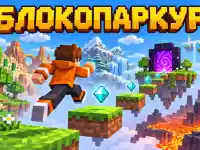
Blokoparkur uses block-shaped platforms in a first-person parkour game. Reach a portal to finish a stage and look for three diamonds on each level if you want a collection goal. On desktop, use WASD or the arrows to move, the mouse to look and Space to jump. Look from your current platform to the one you intend to reach before getting too close to the edge. Make sure you can see part of the landing where you will be able to keep moving.
The game presents surfaces with different behaviours, including moving platforms, slippery ice and bouncing slime. Watch one unfamiliar surface before committing to a long jump. Follow a moving platform until you know which direction it travels and where it comes closest. On a tricky section, learn a safe way through first. A later run lets you check a branch or a platform you did not visit during the initial route to the portal. Use checkpoints as recognisable places to begin your next attempt.
Explore a block-built environment with a place to return to
Voxel Frontier presents exploration, gathering resources and survival. Put a recognisable landmark near the start of your first short trip. It could be a change in terrain or a distinctive row of blocks. Use it to keep track of how far you have travelled when looking for resources. Choose one stretch you can return through comfortably before following a farther route. A familiar way back helps when the environment gives you several things you could do at once.
When you see a new object, think about whether you want to gather it, use it as a marker or leave it for a later trip. Follow the current game instructions for how collection and building work. If you build a small feature, check what it looks like when you approach from another direction. Making a place easier to recognise can be useful even before you expand it. A small task gives you a reason to learn the area around it.
See how the same shape makes different challenges
A block can show you how wide a landing is or how a route fits between surrounding objects. In a world that offers resources, a block can also tell you what kind of material or space is nearby. Think about its role before applying a technique you learned in a different game. A parkour jump asks you to judge distance and timing. An exploration trip asks you to remember links between places. The art style can look similar while the decisions remain distinct.
Try a short first session with a visible reference point. In the parkour game, use an early landing to check how the jump feels and how much room you have after it. In the exploration game, find a landmark and plan a small route out and back. You can then make the next task a little larger with information about the place you are already in.
Choose the kind of block world you want to use
Open Blokoparkur for a route made of jumps and planned landings. Choose Voxel Frontier when you want an area to investigate and resources to look for. Keep the selected game's full title so you can find the same version again. When you return, begin with one part of the world you recognise. See what the blocks around it let you do next and use that to choose the next route or project.