A clearly identified browser option
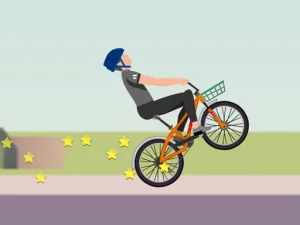
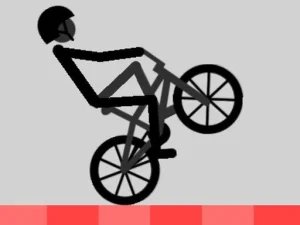
Game Wheelie Bike provides a focused example. Its supplier identifies it as Wheelie Bike by FG Studio and describes balancing the bike on one wheel as far as possible. The listed control method is the mouse. That makes it a specific casual balance challenge rather than evidence that every feature of another Wheelie Life release is available here.
This distinction matters when choosing what to play. Someone looking for a short exercise in timing may enjoy the clear wheelie objective. Someone expecting an open world or online motorcycle sessions should first confirm those features on the actual game page. Familiar artwork or a similar search phrase cannot establish them.
Learn the response before chasing a record
In the Wheelie Bike example, start by following the visible input instructions and watching how the bike reacts. Test the displayed action briefly, then observe what happens when you stop. This connects your input with a visible change in balance and gives you a basis for later corrections.
Keep the first attempts simple. If you change the input duration and timing together, it becomes harder to understand which change helped. A short, controlled test is more informative than a frantic attempt to stay upright for as long as possible before you know what your actions are doing.
Read balance as movement
A bike's present angle is only part of the information. Notice whether the front wheel is rising or falling. A position that looks comfortable can still be heading toward an unstable angle. Reacting to that trend gives you more room to make a measured adjustment.
Keep your eyes on the bike during a difficult correction. A distance indicator tells you how an attempt is going, but it cannot show the next action as directly as the movement itself. Glancing at a score just as the wheel changes direction can turn a manageable adjustment into a late reaction.
Choose a practical learning goal
One useful session goal is a consistent opening lift. Another is noticing a falling wheel sooner. A third is avoiding excessive backward lean after an input. These goals are related, but separating them helps you understand why an attempt ended and what to change next.
Review failures specifically. A wheel that drops and a bike that tilts too far backward do not call for the same response. Identify which happened and what your last input was. Repeating the same sequence with more urgency is less useful than making one informed adjustment and comparing its result.
Compare entries without transferring assumptions
When you choose another game from the page, read its control instructions again. Do not assume mouse timing, steering keys, score rules or restart behavior transfer unchanged. The shared subject is a starting point for comparison; each entry still needs to be understood on its own terms.
The Wheelie Bike browser guide explains the hosted example and offers a more detailed practice routine. Its purpose is to help you interpret balance and corrections, while clearly distinguishing the available game from other products that appear in Wheelie Life searches.
Use a comfortable, permitted setup
Keep the game large enough to see the bike clearly and use an input device that feels comfortable for repeated short actions. Let the game finish loading before testing controls. If a page opens but the game is not ready, that is a different issue from mistiming an action during an otherwise responsive run.
Finally, unblocked is not a guarantee of access through every school or workplace network. Use permitted devices and connections. Choose by the available game's real features and your preferred kind of challenge, rather than by promises of universal access or features that have not been confirmed.