Worms Games ranges from boards with colored tiles to arcade scenes where a worm moves through a changing area. The main question is often what happens to the space around the character after you move. A board gives you more time to think through that question. A moving arcade game asks you to see where the next part of an action might leave you before the current part is over.
Last Updated:
Plan the last region you intend to paint
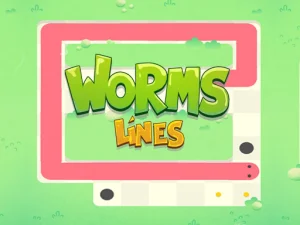
Worms Hungry asks you to collect colored dots and paint every tile through a set of puzzle levels. Look at the places where two parts of the layout touch. A junction can let you reach a small group of tiles that would be hard to visit later. Notice the short ends of the route and decide which of them need attention before taking the longer path through the board.
Once the first route is set, check what has been left behind. The last piece you need may be close to a place you passed at the start. If a move ends the attempt, look back for the earlier point where your path became hard to change. Use a different opening near that point and see whether it leaves the final area within reach. You can stop after understanding one layout even if the next level is ready.
Follow the worm through an arcade scene
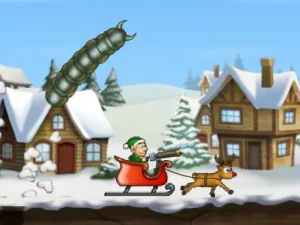
Effing Worms Xmas gives you the worm itself to steer in a Christmas-themed arcade setting. Use the first part of the game to understand how the direction of movement changes on screen. Pick a piece of scenery you can see as the character moves around it. Try going past it once and notice which parts of the view stay useful after the worm moves. That gives you an anchor while other characters and objects appear.
As the scene gets busier, give your next movement a visible endpoint. You might want to pass through a particular area, see where a pickup is available, or return to a place where the character is easy to locate. Look at what opens after the action before deciding to do another one. A short run can help you get comfortable with following a large moving character across the current scene.
Learn how a battle round is presented
Worm Battle applies the theme to a game with opponents and arcade objects. Check its opening instructions and mode before planning a session. Watch where your character appears relative to the objects that the game allows it to use. On an early turn or round, try a familiar action in a place where you can observe the feedback. Keep track of the layout after the action because opponents and new objects can change which part of the scene makes sense to enter next.
If the controls or mode look different from another worm-themed title, use the current prompts as your guide. The tag contains games with distinct objectives and settings. This is useful when you are comparing two short activities. You can open one for the pace of a moving scene and another for a puzzle you can inspect for as long as you like.
Make the shape of the board part of your choice
Choose Worms Hungry to work out where a route ends and how to visit the tiles on the way. Open a moving worm game when you want to learn what the view does after a change in direction. Choose a battle setting if you want the position of other characters to add another decision. Follow the current input prompts and pick a small result you can recognize. One clear route or one round in which you learned a movement can be a complete reason for the visit.