































Slow Roads: A Relaxed Guide to Endless Browser Driving
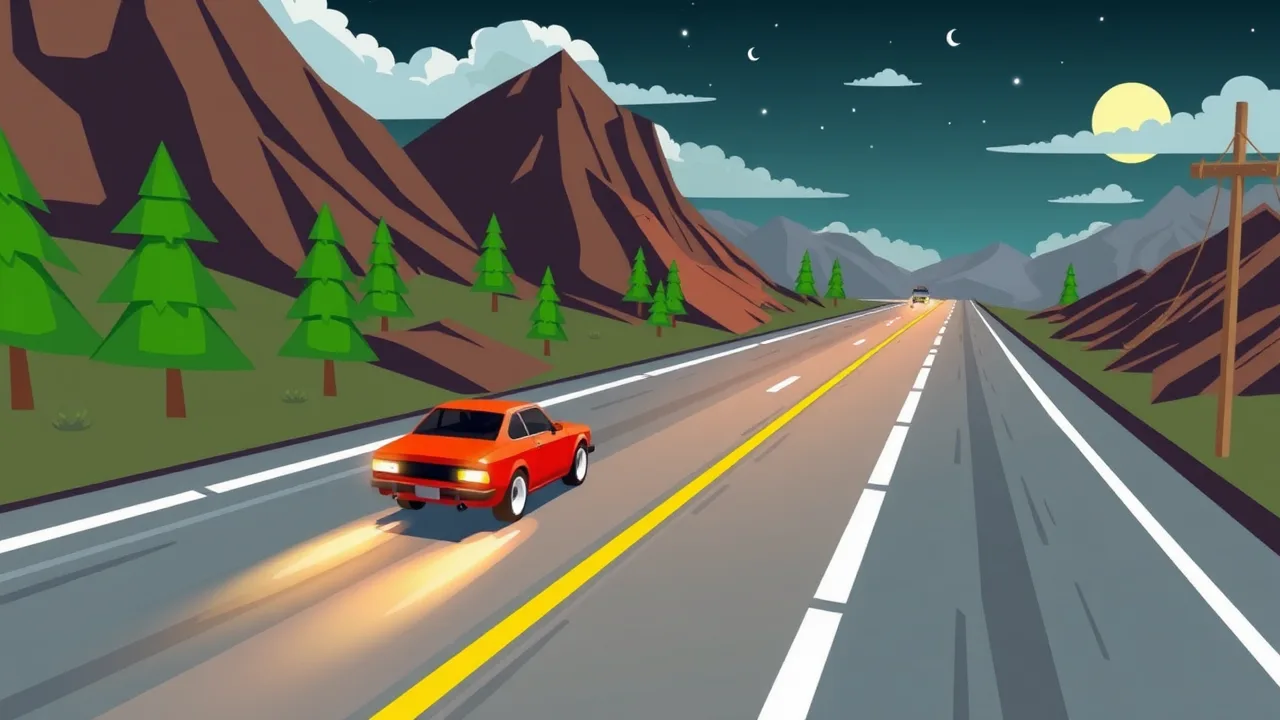
Slow Roads is built around an unusually simple idea: driving along an endless scenic road can be the activity itself. You do not need a rival to beat, a delivery to complete or a finish line to justify the journey. The browser experience is a way to explore a changing landscape at a pace you choose. If the phrase “slowroads.oi” brought you here, the game being discussed is Slow Roads, rather than a separate racing title with that spelling.
The Slow Roads game page provides the site's route to the embedded experience. Its host describes an open-ended driving simulation with vehicle and environmental options. This guide concentrates on choosing a comfortable pace, reading the road and making the journey enjoyable. Treat the settings and controls shown in the loaded build as authoritative when a shortcut or option differs from something you have seen elsewhere.
Decide what you want from an open-ended drive
Many driving games teach you to look immediately for a timer or an opponent. Slow Roads does not need either to establish its purpose. You can choose a gentle run through the scenery, practise a more consistent line through bends or experiment with the view and environment. Having a small personal intention helps you settle into the game without inventing a formal mission system.
For a first visit, choose something easy to observe, such as staying centred through a few bends without abrupt corrections. If you leave the road, use the recovery control and continue. The mistake can tell you something about your speed or steering without becoming a reason to abandon the whole session. The journey does not have to be perfect to remain worthwhile.
An open-ended format also lets you stop when you have had enough. There is no need to turn every visit into a record attempt. If the appeal is the changing view, take time to look at it while paused or using an appropriate automatic driving mode. Keep manual control and sightseeing separate when trying to maintain a careful route.
Learn the essential controls before exploring shortcuts
The host's published instructions list WASD or the arrow keys for driving. They also describe R for returning the car to the road, C for switching cameras and P for pausing. Those controls are enough to begin a measured first drive. Click into the game area before testing the keys so the surrounding page does not receive the input instead.
Additional documented shortcuts include Shift for a temporary acceleration input, B for the handbrake and F for automatic driving. Learn those after you can steer comfortably at an ordinary pace. A stronger acceleration input will not resolve uncertainty about the next bend, and the handbrake is not a substitute for planning your speed before the turn.
Control mappings and settings can vary with the loaded version or a saved profile. Read the in-game help if a key behaves differently. Avoid pressing several unfamiliar shortcuts in succession, since it becomes difficult to tell which one changed the camera, hid an interface element or altered the driving mode. Try one change and observe its effect.
Let the road set a manageable pace
A useful speed is one that gives you time to understand the approaching road. Look ahead through the bend rather than keeping your attention fixed immediately in front of the vehicle. If the road disappears from view quickly, reduce speed before adding larger steering inputs. More time to observe usually makes the next decision simpler.
Make small corrections when the vehicle drifts from the line you intended. A large correction followed by another large correction in the opposite direction can produce an uncomfortable weaving pattern. If that happens, slow down and return to a simpler section of driving. You are trying to make the relationship between input and movement understandable, not prove that you can hold the fastest possible speed.
When approaching a bend, prepare while the road is still relatively straight. Then guide the vehicle through the curve with a measured input. This is advice for controlling the game, not real-world driving instruction. The game's physics and recovery tools are designed for entertainment, and they should not be treated as a substitute for learning to drive an actual vehicle.
Use the camera as a practical tool
The camera changes what information is easiest to read. A view close to the vehicle can feel immersive, while a different view may make its position relative to the road clearer. Use the documented C shortcut to compare the available perspectives. Keep one view for a little while before deciding whether it suits your steering.
If you repeatedly misjudge the road edge, choose the view that makes the vehicle's position easiest to see. If the sensation of motion feels uncomfortable, reduce speed and try another perspective. There is no universally correct camera for every player or display. Comfort and readable information matter more than choosing the view that looks most dramatic.
The host also documents mouse input for adjusting the viewing angle and T for a reverse view. Those can help you inspect the surroundings, but looking away from the road changes what you can anticipate. Pause when you want to examine a scene carefully. That keeps a scenic moment from turning into a confusing manual steering exercise.
Explore environmental settings one at a time
The landscape is a major part of Slow Roads' appeal. The host describes options for terrain, weather and day conditions, with Q and E among the documented environmental shortcuts. Changing the view can make a familiar drive feel different. Begin with conditions in which the road is easy to distinguish from its surroundings, then experiment once the controls feel comfortable.
Keep visual changes separate from assumptions about physics. A different sky or snow covered setting does not, by itself, establish a different tyre model or traction rule. Watch the actual behaviour of the loaded game instead of applying a racing game's weather system automatically. The visual atmosphere can be a sufficient reason to choose a setting.
Change one option and drive briefly before adjusting another. If you alter the camera, vehicle and environment together, it can be difficult to identify why the new experience feels easier or harder. A small sequence of deliberate comparisons gives you a setup that suits your preferences without turning the settings menu into guesswork.
Try another vehicle without assuming identical handling
The host's description mentions cars, motorcycles and buses. Available choices depend on the loaded build and its interface. When selecting a different vehicle, start at a modest pace and observe how it responds to the same basic steering input. Familiarity with one vehicle is a useful starting point, but it does not guarantee that every option will feel identical.
Give yourself a short adjustment period. Notice the size and position of the vehicle in the selected camera, how readily it changes direction and how much space you want before a bend. You do not need to label every difference with technical specifications that the game has not supplied. A clear practical observation is enough to guide the next input.
If the change makes the drive less enjoyable, return to the option you preferred. Exploring a setting is not a commitment to keep it. The open-ended format gives you room to choose a comfortable experience rather than follow an imagined progression path that requires using every vehicle in a particular order.
Recover from an excursion and keep the useful lesson
Leaving the road is part of experimenting with a driving game. The host documents R as a return-to-road control. Use it when the vehicle is in an awkward position and a reset would let you continue more comfortably. Before accelerating again, check the orientation and the visible road so you do not repeat the same abrupt departure.
Ask what happened just before the mistake. Were you travelling faster than you could read the bend? Did a camera adjustment distract you? Did you hold a correction too long? Choosing one likely cause gives the next attempt a purpose. Calling every excursion random removes the information that could make the next section smoother.
A recovery tool also reduces the need to force an awkward manoeuvre simply because the vehicle has become stuck off the intended route. Use the game's tools in the way that supports the session you want. If the purpose is a relaxed drive, restarting a useful position is often more sensible than turning a minor mistake into a prolonged struggle.
Understand automatic driving and interface options
Automatic driving is documented by the host with the F shortcut. It can offer a different way to experience the road, but make sure you know which mode is active before judging the response to your own steering. Watch the displayed controls or indicators. If you want to practise manual input, return to the appropriate manual mode first.
The host lists U as a way to hide the interface. A cleaner view can suit sightseeing, but it can also remove information you were using. Learn how to bring the interface back before hiding it. Pause if necessary while checking the mode or settings, rather than continuing a confusing drive with controls you cannot identify.
These options do not imply a multiplayer lobby, a competitive ranking or a delivery campaign. Slow Roads is described as a relaxing journey without mission-based progression. Enjoy the features that the loaded game actually offers instead of looking for a race structure that belongs to a different kind of driving title.
Keep browser access expectations realistic
The Slowroads.oi collection is another browsing route on the site. A collection name containing “unblocked” elsewhere does not guarantee that the embedded host will be accessible on every network. Open the game where play is permitted and allow its own loading process to complete before diagnosing a control problem.
If the page loads but the game does not, separate those two observations. The article, the surrounding website and the embedded game can rely on different hosts. Avoid repeatedly refreshing a session that has already begun unless you are willing to lose its current state. Start with a stable view, a comfortable speed and one clear intention for the next stretch of road, then let the scenery give the journey its character.