































Evo-F2
Evo-F2 is a fast-paced driving game where you jump straight into chaos. The simple controls make it easy to pick up, focusing on crashing vehicles in a destructible environment. The goal is to cause destruction using straightforward mechanics, and you can jump into the action without fussing with menus or settings. It is a fun Driving game for anyone who loves explosive fun.
How To Play Evo-F2
Use the basic controls to explore and crash into obstacles. Repair your car with the R key, change your camera with C, and slow down time with T. This WebGL game keeps the action flowing with no complicated setup needed.
Controls and Features
Buttons like W, A, S, D move your vehicle. Press R to repair, C to change camera angles, and T to slow down time. These controls make navigation and crashing easier, letting you focus on the destructive fun of this Simulator game.
Tips
Master the R key to repair and then crash again. This keeps the chaos going longer and helps you explore destructible obstacles more effectively for maximum destruction.
FAQ
What are the main controls in Evo-F2?
Use W, A, S, D to move your vehicle. R repairs your car, C changes the camera, and T slows down time for better control during crashes.
What is the main objective in Evo-F2?
The goal is to cause destruction using simple mechanics. Crash into obstacles and explore the destructible environment to create as much chaos as possible.
Can I repair my vehicle during gameplay?
Yes, you can repair your car at any time by pressing the R key. This lets you keep crashing and exploring without starting over.
How does the slow-motion feature work?
Press the T key to slow down time. This makes navigation and precise crashing easier, helping you hit targets and cause more damage.
How To Play Evo-F2
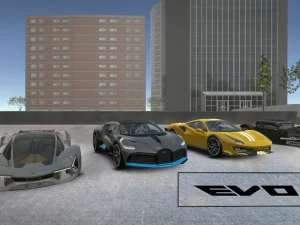
Unleash vehicular mayhem in Evo-F2, a high-octane Driving game built for instant gratification. Skip the menus and dive straight into the action, utilizing simple mechanics to smash through obstacles in a fully destructible environment. If you crave more automotive chaos, check out the intense sequel, Evo-F5.
About this game
- Supported devices
- Desktop
- Genre
- Driving
- Release date
- 07 January 2019
- Latest update
- 13 August 2025
- Rating
- 9.0 (12 votes)
Cool Information & Statistics
Evo-F2 joined the catalog on January 7, 2019 and has received 124 plays. The current rating is 9.0, based on 12 votes. This fast-paced driving game lets you jump straight into the chaos of crashing vehicles in a destructible environment. Bestcrazygames.com brings together varied browser games; find recent arrivals in New Games, notable choices in Best Games, and refreshed releases in Updated Games.

GTR Drift Fever
City Minibus Driver

Cars Racing
Police Drift Car Driving Stunt
Russian Car Driving

Meya City Stunt
Ramp Stunt Car Racing

3D Neo Racing Multiplayer
City Tuk Tuk Rickshaw
Battle Cars

Mafia City Driving

Stunt Extreme Car Simulator

Space Boost

Real Car Parking

Park The Taxi

Neon Motocross games

Monsters!

Number Composition

Color Crash
Evo-F5

Conduct THIS!
Heavy Crane Simulator Online

RCK GTA Mercenary Driver
Mega Ramp Stunt Moto


