Choose an activity before choosing a thumbnail
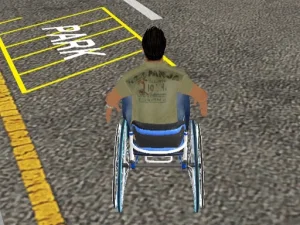
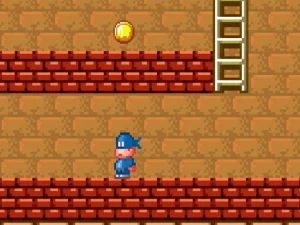
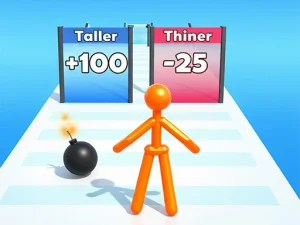
Begin with the action you enjoy and the attention you can give it. A driving activity asks you to make repeated direction and speed decisions. An obstacle challenge puts more emphasis on timing a movement around a hazard. Exploration asks you to remember a location or connect an instruction with an object. These are different demands, so a game that suits a quiet evening may be a poor match for a short, frequently interrupted break.
Use the cards to find a possibility, then read the actual objective and device information. Do not assume that a colorful character indicates a young audience, or that a car picture guarantees a race against other players. A broad collection groups ways to browse; the loaded game supplies its own rules. You can make the choice easier by comparing only two possibilities at a time instead of opening a large set of tabs and losing track of what each one offers.
A verified example from the current selection
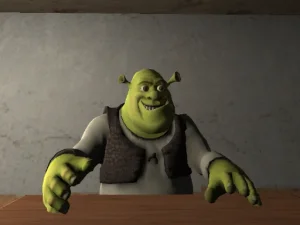
Five Nights at Shreks Hotel appears in this collection and offers a horror exploration setting. Its accommodation story involves a move to another city and an increasingly unsettling hotel manager. Walking, approaching objects and reading dialogue give it a different pace from the driving and action cards around it. Select it because that premise interests you, while recognizing that a familiar character does not turn the game into a children's story.
The documented controls use WASD or the arrow keys for movement. Approach a relevant object before pressing E, and use mouse clicks to advance dialogue. Pay attention to what an exchange tells you before continuing. When you become unsure what to do, return to the latest instruction and a recognizable location rather than clicking randomly. The example illustrates why checking the selected page matters: its control and content expectations cannot be inferred from the collection's broad name.
Compare pace and commitment
For a brief visit, identify a small goal before launching. You might want to learn the first interaction, understand an opening route or see whether the input feels comfortable. For a longer session, allow room to learn how the game communicates success and failure. Neither plan requires opening many games. A small, clear objective helps you decide whether to continue after the first attempt or choose a different style next time.
Games also differ in how they handle interruptions and progress. Read whatever saving, checkpoint or session information the current interface provides. Do not assume that closing the tab preserves the exact situation, or that an online round waits for you to return. If you expect interruptions, choose an activity whose displayed rules fit that constraint. Leave unfamiliar account, purchase or permission prompts alone unless you understand and want the specific action they describe.
Match the browser game to your controls
A working page on a phone does not prove that its player supports touch. Keyboard-based games are better approached on a device that provides the documented inputs. If a movement key scrolls the surrounding page, click inside the player before trying it again. Distinguish that focus problem from a difficult obstacle or an unresponsive external game service. They need different solutions, and repeated hurried inputs rarely clarify which one you have encountered.
The browser-game selection guide explains how to compare session length, attention and input requirements. Use ordinary permitted access: a free or unblocked label cannot guarantee availability on a restricted network. Give a player time to load, keep the browser reasonably clear of unnecessary heavy tabs, and judge the game by its actual instructions. A suitable session is one whose activity and pace match what you want to practice today.