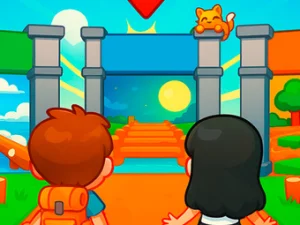
Open the player that actually shows LOLBeans
The established Just fall lol page currently embeds LOLBeans.io. Its live home screen shows the bean character and a How To Play panel for an obstacle race. This direct shortcut identifies the loaded game even though the BestCrazyGames page keeps its older title. It should be read as the current activity offered by that destination.
The displayed instructions use WASD or arrow keys to move, with Space or right-click to jump. The stated objective is to avoid obstacles and reach the finish line. In the Battle Royale format described by the player, late arrivals are eliminated on each map as the competition continues. Read the current mode choice before pressing Play, since the menu is the reference for the session you are about to enter.
Give each jump a destination
Look beyond the immediate obstacle to the place where you want the bean to arrive. That makes the jump part of a route. If the landing leaves you facing another urgent correction, review the approach as well as the jump itself. The problem may have begun before the character left the ground, when there was still time to choose a more manageable line.
Use a clear early section to connect movement and jumping. Make an input, notice its result and let the next action follow from the position you actually reached. Repeating a memorized sequence while the character is somewhere different can make a recoverable mistake more confusing. The visible route provides the information for your next choice.
Review where the route became difficult
After an awkward attempt, identify the first moment you lost a useful position. Perhaps you began a jump from an inconvenient place, noticed the next obstacle late or made a large correction after landing. Each explanation suggests a different change. Choose one to investigate on another attempt instead of trying to run faster and alter every action together.
The player includes a Party menu and other home-screen choices, but their presence does not establish that every session has identical settings or a guaranteed number of human opponents. Check what the current interface offers before expecting a particular arrangement. The practical race objective comes from the active mode and its instructions.
Compare a race with a solo obstacle course
For a separate direct recommendation, Vex 3 follows a single stick figure through platform obstacle acts. This changes the session from progressing through LOLBeans' described elimination race to working through a solo character's route. Both reward reading what comes next, but the movement rules and controls belong to their own games.
The wider cards in this collection can be even more different. A shared “io” spelling does not establish a bean race, common account or progress that carries between destinations. Read a selected game's description before searching for the jump command or the same map format. A change of activity is easier to enjoy when you choose it with a clear expectation.
Check focus and access before changing your technique
If a movement key scrolls the surrounding page, click inside the actual player and test a displayed control again. If the game area has not loaded, the collection's text cannot prove that a race is ready. “Unblocked” remains part of the established topic name; it does not guarantee access through a managed network or replace permission to play. Begin on an allowed connection, check the selected mode and give the next attempt one clear movement goal.