































Pencil Games
The pencil tag groups browser-based drawing and sketching titles that focus on creative control and simple input. Players use pointer or touch input to sketch, shade, and color scenes across many short sessions. This section supports quick creative play without downloads and helps users find instant play games that match a calm pace.

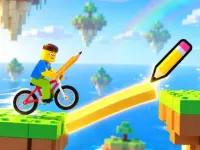
Sketch-Focused Browser Picks in the Pencil Tag
Titles in this collection usually center on freehand drawing, tracing, guided prompts, or light puzzle steps that use sketch input. Sessions stay short and flexible, letting users open a title, create a quick sketch, and close it without setup. Access runs through modern browsers with no downloads, and most layouts support both desktop pointer control and mobile touch. The tag often groups casual art tasks, timed challenges, and sandbox spaces that reward experimentation rather than competition.
How to Choose a Sketch Session
Match the pick to mood and available time by deciding whether a guided prompt, a freeform canvas, or a timed challenge fits best. Consider device fit, since many titles work well with a mouse or stylus while others rely on touch-friendly layouts. If pace matters, choose calm sandbox spaces for relaxed browsing or pick timed modes when a quick burst is preferred. Keyboard shortcuts and simple menus help with fast access, and users can favor web games that load quickly and store progress locally.
Input, Access, and Device Fit
Core mechanics revolve around sketching, tracing, shading, and erasing, with feedback that shows clean lines, color blends, or completed prompts. No-download play removes setup friction, and most modern browser titles load in seconds on phones, tablets, and desktops. Touch-friendly layouts support pinch and zoom, while pointer input offers precision for detailed work. Cross-device play fits short breaks or longer creative blocks, and browser-based titles keep access simple through direct page entry. This mix of no download games and cross-device games supports quick creative sessions across devices.
Getting Better Results From Sketch Titles
Start with a small canvas area to test line weight and color behavior before expanding the drawing. Maintain steady pacing by pausing when a prompt feels rushed, since many titles let users control timing. Use guided modes when learning, then switch to sandbox spaces for original work. Save or screenshot finished pieces when the title supports it, and revisit different browser-based titles to compare tools and styles.
Why Users Return to the Pencil Tag
Players choose this tag for low-pressure creative play that fits short breaks and flexible schedules. Replay value comes from trying new prompts, practicing technique, and exploring different sandbox options across sessions. The collection suits users who want instant play games without downloads and who prefer calm, focused interaction over competitive goals.
pencil FAQs
Q: Do pencil browser titles need downloads or plugins? A: Most run in modern browsers with no downloads or plugins required.
Q: Can touch devices handle sketch input well? A: Many titles support touch drawing, though precision depends on the layout and screen size.
Q: Are timed pencil challenges common in this tag? A: Some titles include timed prompts, while others focus on freeform sandbox play.
Q: Is this tag only for detailed drawing? A: No, it includes guided prompts, casual coloring, and simple sketch tasks for short sessions.