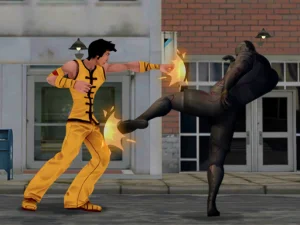
The Street Fight choice
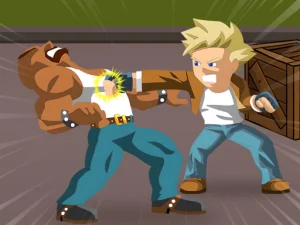
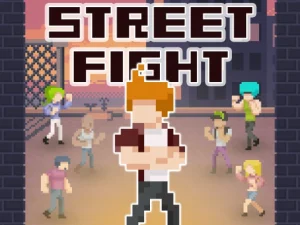
The Street Fighter page containing Street Fight offers street encounters against enemy thugs. Its publisher describes ten enemy characters, five attack combinations, coins from victories and a power-up shop. The documented locations are Sunset Avenue, Frozen Overpass and Mean Street. Those are concrete features of the embedded game, rather than a reason to promise characters or special attacks from another franchise.
Its desktop input is pointer based. The hero follows the pointer while available to move, and clicking requests an attack. On touch devices, a short tap attacks while a held touch and drag operates the movement control. Practise moving and attacking separately before trying to combine them rapidly. This makes it easier to identify whether an awkward result came from your position or your timing.
Learn spacing before chasing combinations
Look at the gap between the hero and an opponent before attacking. A missed strike can be a positioning problem, so clicking faster is not always the useful adjustment. Approach deliberately, observe the first exchange and reassess the current positions before choosing the next action. Moving the pointer can also influence where your hero goes, which makes a steady hand useful on desktop.
The existence of several attack combinations does not establish a specific keyboard sequence. Use the tutorial and the loaded game's response to learn what successive inputs do. Keep a useful position while experimenting with timing, and avoid treating one successful animation as an automatic solution to every enemy behaviour.
Read the shop before spending
Street Fight's own shop text includes Brass Knuckles for damage, Speed Up for movement, Health Up for maximum health and Armor Up for reducing damage received. It describes the Power Pill's powerful state as temporary. Inspect the current item description and price, then connect the purchase with a problem you have actually noticed during play.
An item cannot explain an opponent's behaviour for you. If your main difficulty is misreading an approach or confusing touch movement with a tap, work on that interaction as well. Do not assume a universal purchase order, exact price or permanent cross-device effect when the game has not supplied that information.
A guide for this specific version
The Street Fight browser guide explains the pointer and touch controls, encounter observation and practical shop decisions. It identifies the embedded game clearly, so readers do not confuse a page label with proof that another release is present. Its advice concerns in-game positioning and timing, not real-world fighting techniques.
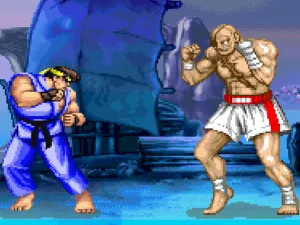
When selecting another card from the collection, repeat the identity check. Read the game's title screen and instructions, then learn its actual input scheme. A keyboard fighter, a pointer-controlled street brawler and a matching puzzle with combat artwork can require very different actions despite sharing a broad fighting theme.
Choose a suitable session
Play in an environment where games are allowed and select content appropriate to the player. The word “unblocked” cannot guarantee access to an external game host on every school or workplace connection. Let the game load, focus its play area and begin with a manageable encounter. Understanding one reliable movement and attack interaction is a stronger start than searching for a familiar special move that belongs to a different title.