Try an aimed platforming task
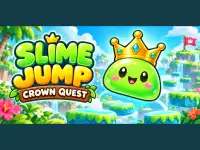
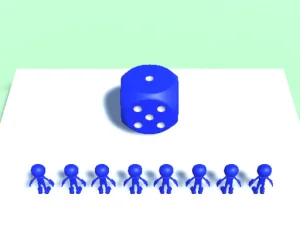
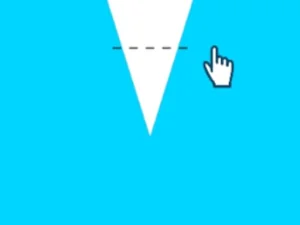
Slime Jump: Crown Quest asks you to hold, aim and release a slime towards platforms and a crown. Mouse or touch controls provide the launch input. The supplier describes one hundred and fifty colourful levels, with another arrangement to inspect after completing the current one.
Read the destination before releasing. A useful landing needs to place the slime where another jump can begin, not merely carry it across the nearest gap. After arrival, look again from the actual position. This is a precise launch-and-landing task, rather than a reason to assume continuous steering or a shared keyboard command.
Plan orientation in a rolling-block puzzle
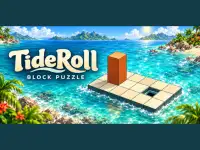
TideRoll: Block Puzzle puts a wooden block on floating ocean platforms. Roll it along the route and finish upright in the goal hole. Each move changes both position and orientation. A route that reaches the correct area may still need a different final arrangement before it can finish.
Orange tiles break under an upright block and should be crossed while it lies flat. Switches and bridges introduce further changes to inspect. The game offers an undo option and one hundred and fifty levels with different scenery. Use the keyboard directions or the displayed mobile direction buttons, following the setup available in the loaded game.
Read a third-person combat objective
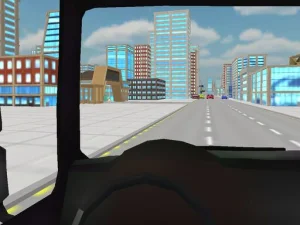
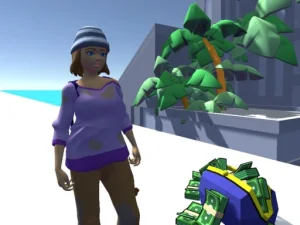
Cold Iron: Last Extraction follows a character through a rainy city at night. You choose two guns and an ability, then enter a mode with its own task. Survival defends a plaza, Sniper Only changes the equipment and enemy positions, and other modes involve planting charges or passing patrols.
Its desktop commands combine WASD movement with mouse aiming and separate actions for firing, reloading and abilities. The supplier also documents touch controls. Learn the interface of the selected mode before treating every encounter as the same wave battle. A third-person camera and a tactical objective create a different session from either puzzle above.
Cold Iron provides Training, with a guided tutorial described for the first visit. Use that opportunity to connect an unfamiliar command with its visible effect.
Let controls and readability guide the choice
A shared collection label does not make every game equally comfortable on the same setup. A block puzzle needs readable tiles and orientation. A launch game needs a clear target. A combat scene needs an input arrangement that lets you move and turn the view deliberately. Check those practical details before committing to a longer session.
The website page and the playable content can also finish loading separately. Seeing a description does not prove that a game's own menu is ready. Wait for the playable interface, then follow its actual input instructions. Do not infer an offline mode, save system or universal performance promise from the technology tag.
Pick a small first-session goal
For the slime game, practise one dependable landing. For TideRoll, understand the position before an upright finish. For Cold Iron, learn a manageable movement-and-aiming sequence in the available training setup. These goals connect your attention to the activity rather than to the broad label above the collection.
Compare attempts within the chosen title and change one decision at a time. A better launch, a revised block route and a safer combat position provide different feedback. Explore the WebGL collection for that variety, while keeping each game's rules, device information and progression separate.